Lightweight Customer Journeys
A UX research method from my work as Lead Product Designer at Runcoach
Introduction
Every team says it wants to understand its users. Then someone prices out a proper research study, the calendar fills up, and the understanding quietly never happens. At Runcoach I kept running into the same wall: the research methods that were trustworthy were expensive and slow, and the methods that were cheap were mostly guesswork. So I developed a lightweight method for producing authentic, persuasive stories about real users — without a big research budget. This is that method, and you can use it too.
1. How Do You Pick a Research Method?
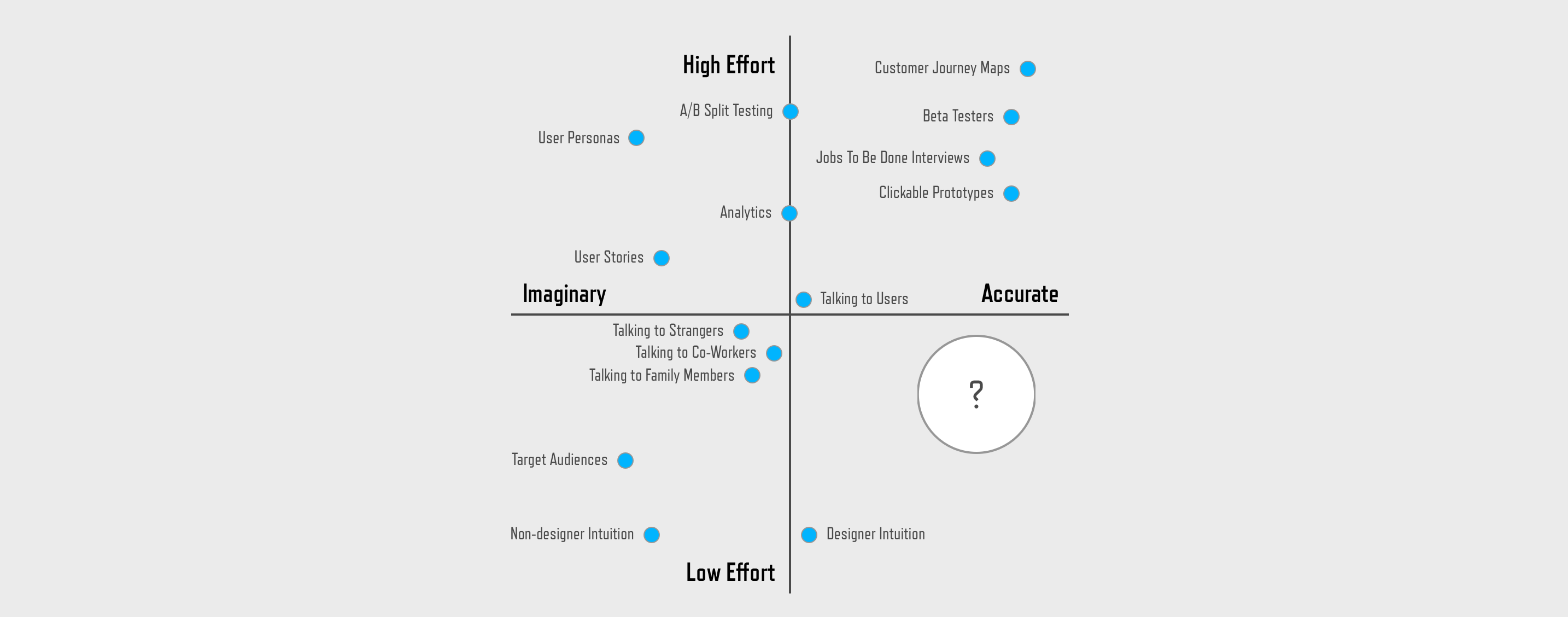
Before choosing a research tool, it helps to judge it on two axes. The first is effort — how much it costs you in time, money, difficulty, and organizational resistance. The second is accuracy — how much you can actually trust the result. Plot the methods we all reach for and a pattern appears.
- Personas live in the high-effort, imaginary corner: we invest real work to invent stereotypes like “data-driven cyclists” or “Betty, the social race participant.” These personas are directionally accurate but end up being fictional representations.
- Target audiences are low-effort but equally imaginary — they’re what other people tell us our product is for (“runners don’t have money; we should target cyclists with power meters”).
- Designer intuition is low-effort and surprisingly accurate, because our experience usually steers us right. But intuition is fragile: it’s only as good as the designer, and it’s easy to attack in a room full of stakeholders.
- Customer journey maps sit in the high-effort, accurate corner — the gold standard of UX rigor.
The interesting part of the chart is the corner that’s usually empty: low effort and accurate. That’s the quadrant lightweight customer journeys are designed to fill.
2. The Trouble With the “Perfect” Journey Map
A full customer journey map is the ultimate expression of UX perfection — an accurate map of every high and low your customer experiences. The UX world (Jared Spool among them) rightly holds it up as a standard to aspire to. The problem is traditional journey map techniques require more effort than most companies can dedicate to it.
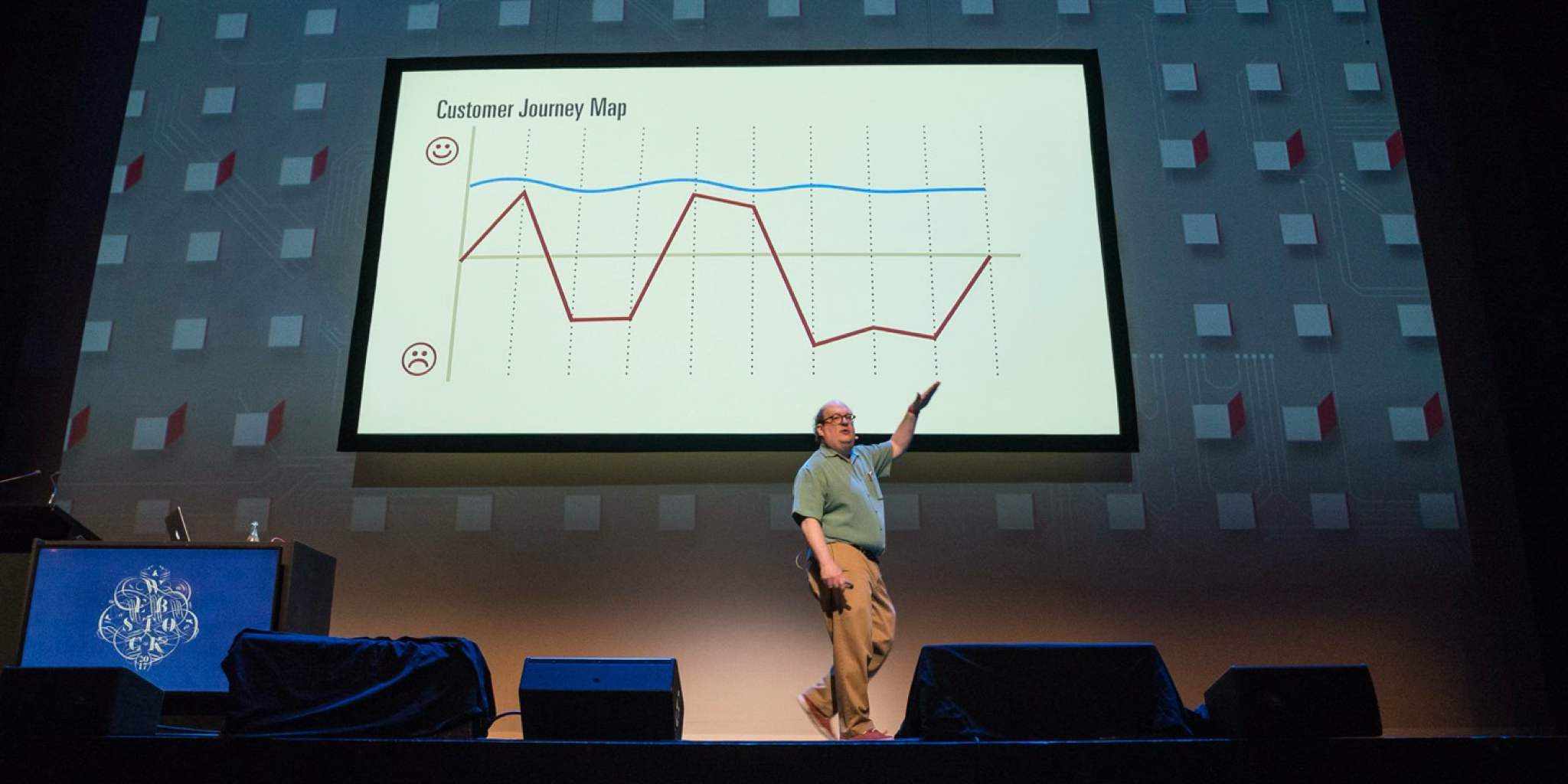
To build a journey map “properly” you get every stakeholder in a room, make sure all the user types are represented, list every point of contact multiplied by every platform, and debate until you reach consensus. The result is walls covered in process documentation that is intimidating and impossible to absorb at a glance. The people you most need to influence take one look and disengage. A research artifact that nobody reads can’t change what a team builds.
What I wanted was something with most of the accuracy of a journey map and a fraction of the effort — something a busy product manager would actually read.
3. The Method: Research Like a Detective
The trick is that you don’t need to commission new research. The story of a real user is already scattered across systems you can reach today — you just have to assemble it.
Start with customer support. Support teams are sitting on a goldmine and are usually desperate for someone to listen. Ask what themes keep coming up. Find someone who recently wrote in about that problem, get their name and user ID, and ask to read the whole correspondence so you have context.
Then mine your own product. Look the person up in your admin tools and public profile — review their history, and observe how they use your app. For a Runcoach user that meant: Do they have a race they’re training for? What kind of athlete are they? When did they join? How active are they?
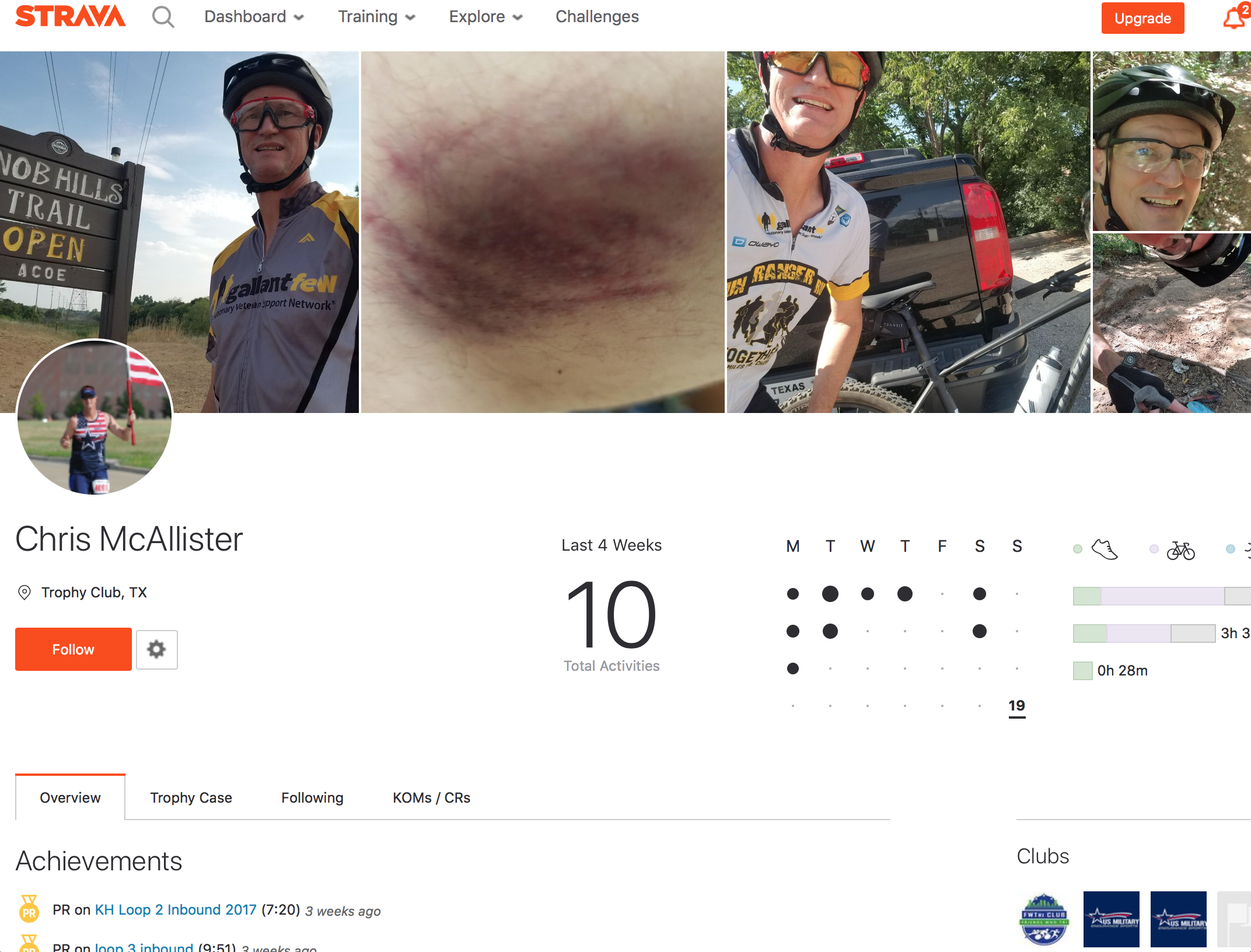
Then go external. Strava, Athlinks, race websites, Google, and social profiles will humanize the person in a way your database never can — photos, a bib number, the race they ran, a telling detail. Follow your intuition and look for the things that make them a person instead of a row in a table.
4. Tell It Like a Story
Once you’ve gathered the pieces, don’t write a report. Write a three-act story — the same structure you learned in high school English, because it’s the structure that makes people care.
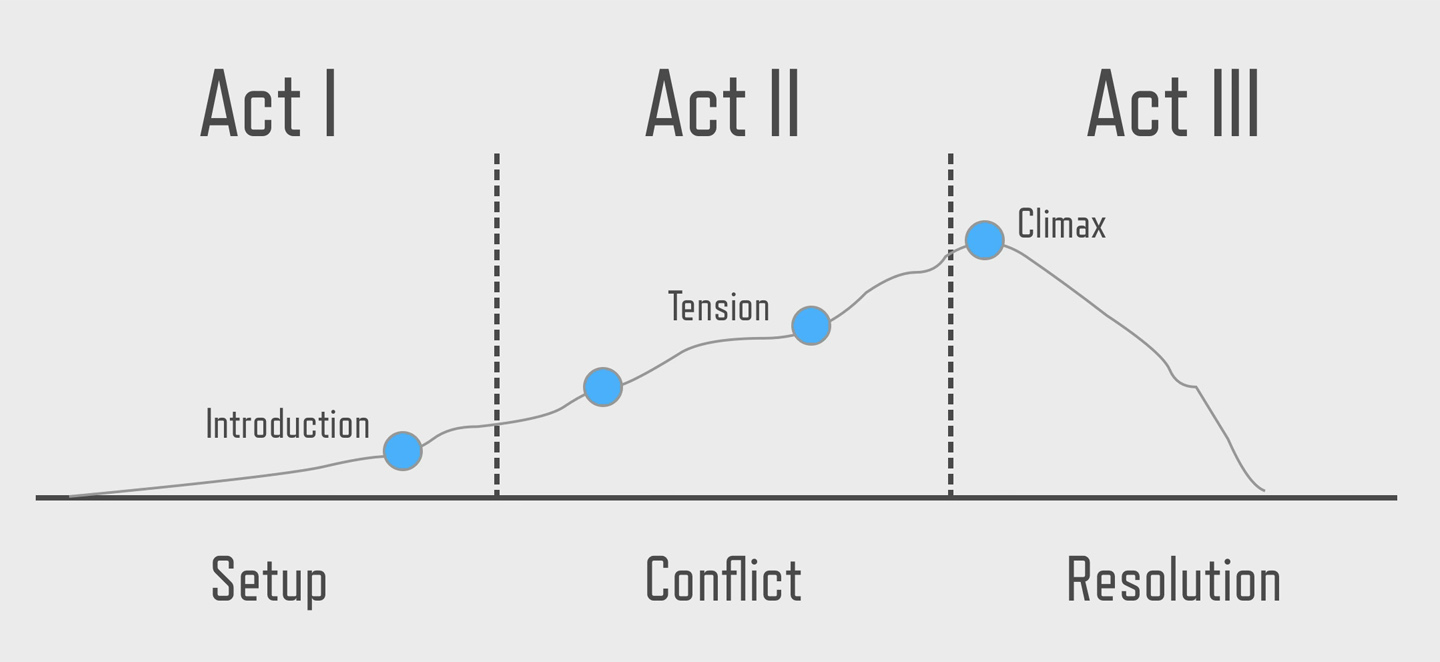
- Act I — Setup. Introduce the hero. Humanize them, make us care, and foreshadow the conflict to come.
- Act II — Conflict. Build the drama around what the user is struggling with, and use a direct quote from their support ticket. Never blame the user — the tension should be something any of us would struggle with in their shoes.
- Act III — Climax. End on a cliffhanger: will this have a happy ending? Act III is where the team gets to swoop in and solve the problem — so you don’t even need to supply the solution. Leaving it open is what pulls the team in.
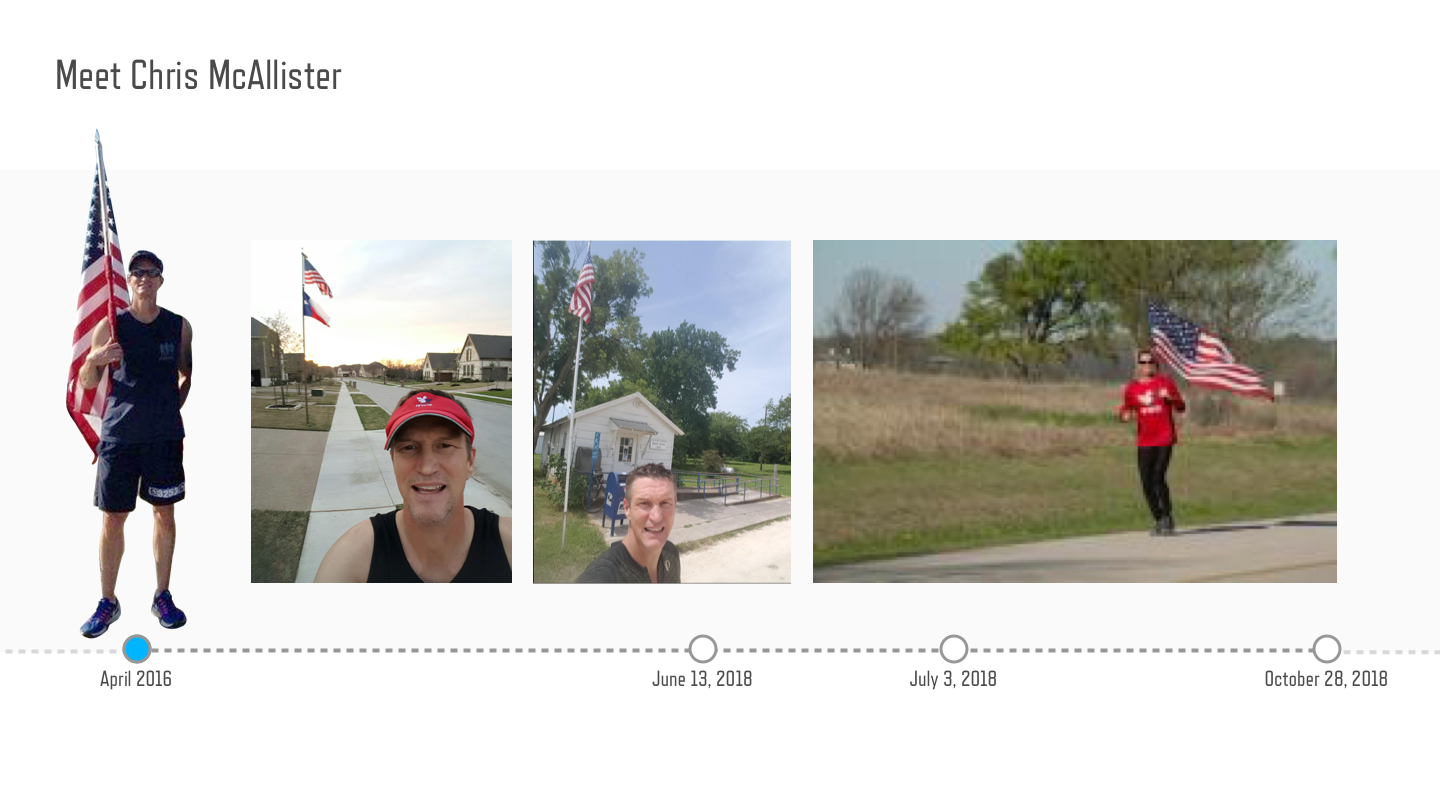

At Runcoach this produced three users the whole team came to know by name. Here are their stories in a nutshell.
Chris, was training for the Marine Corps Marathon when he was sidelined by a cycling injury mid-training. He opened a support ticket where he was confused by the “target” icon in our app. He didn’t realize that we offered free support from real coaches on staff who helped him train through his injury. When he crossed the finish line carrying an american flag we were proud to share in his success in a tiny way.
Heather had run a dozen races in a year but created a support ticket asking if there was a way to set a goal in our system. This was an important feature of our app and it really opened our team’s eyes to a bad user experience that hid our value from customers.
Kim, was training for a high-altitude trail marathon and was also a Strava user. She didn’t realize that the Runcoach app could also track workouts. This was proof that our team was falling behind the competition and pushed us to improve our run tracking capabilities to match the expectations of our users.
5. You Have a Story — Now What?
A story only earns its keep if it spreads. Show the story to your product manager first — they’ll help you evangelize it. Share it at stand-ups, print it out and post it somewhere your team can see it regularly, and refer back to it in grooming sessions. Then listen: a good story spreads on its own, and you’ll know it worked when you hear someone else on the team repeat it.
Why It Works
As product designers it can be difficult to pull our teams out of the weeds and get them thinking about the people our app serves. A story tells them why the hard work matters. Lightweight customer journeys give you most of the truth of a formal journey map at a tiny fraction of the cost, in a form people actually pass around. The real measure of success isn’t the artifact. It’s the day a developer says, “we need to fix this for Chris.”