Weed Eaters: A Human-in-the-Loop Weed ID Tool
Role: Design & UX lead, Nutrien · When: 2019
Context: Company hackathon — finalist
Team: web, iOS, data & machine learning
Introduction
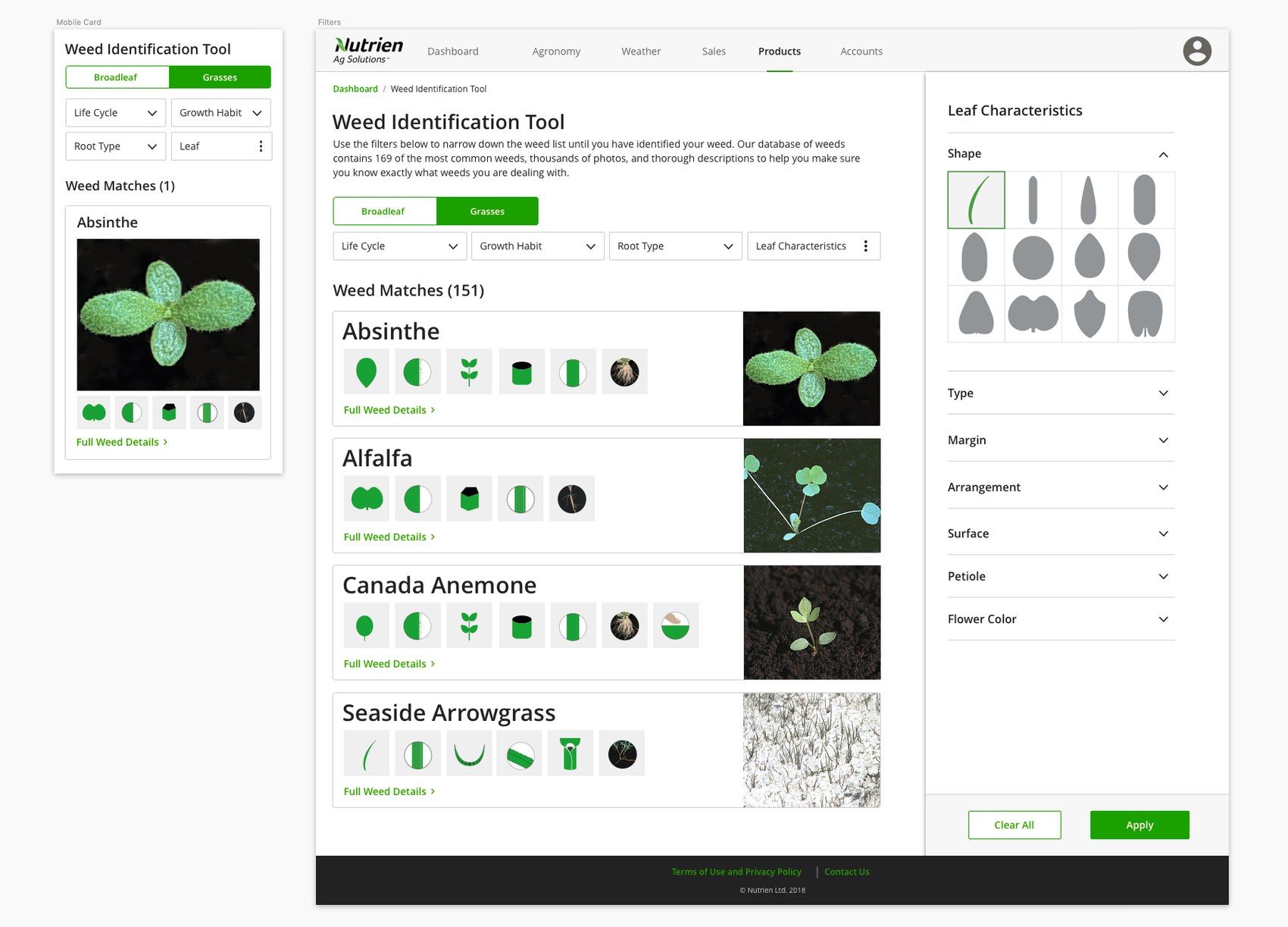
For Nutrien’s annual hackathon, a small cross-functional team and I built a tool called Weed Eaters — a way to identify a weed in the field by checking off what you can actually see: leaf shape, how the leaves are arranged, the type of stem, the root, the life cycle. I led design and UX alongside Natalie Slater, working with teammates on web, iOS, data, and machine learning. It made us a hackathon finalist, but the reason I keep coming back to it is that it’s the clearest early expression of a belief that runs through all my work: with an expert in the loop, you don’t need the AI to be perfect — you need it to be honest about what it knows.
1. The problem worth solving
Out in the field, identifying an unfamiliar weed is a real, recurring task — and crop consultants already had a low-tech answer for it. As one put it, “Every crop consultant we’ve been with has a physical copy of this in their car and a downloaded copy on their tablet.” They carry weed-identification books because correctly naming a weed is the first step to recommending the right product. That stickiness was the signal: if people are hauling around a paper reference, there’s room for something better.
2. A goldmine hiding inside the company
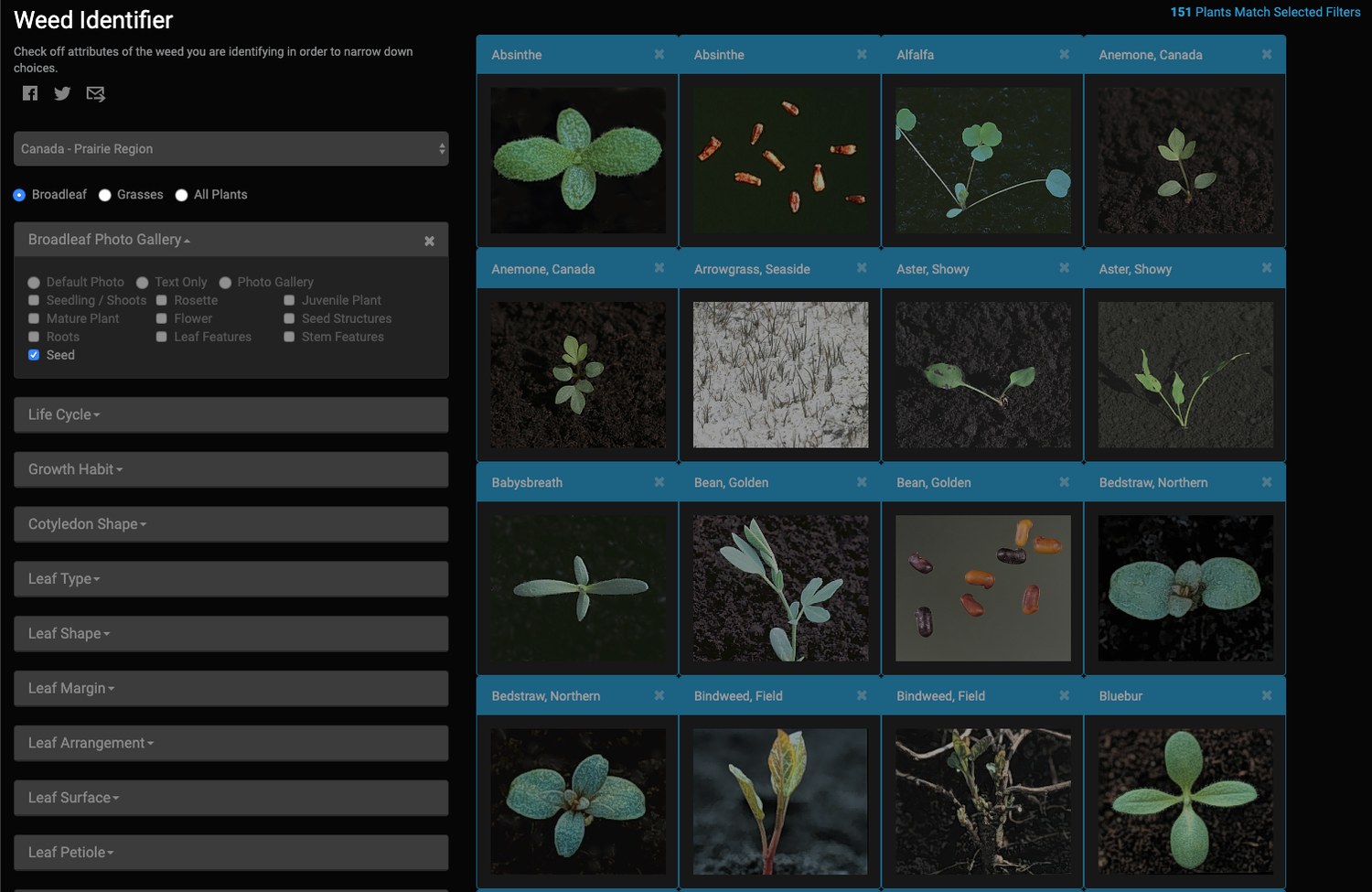
The best part of the story is where the data came from. On a research trip to Canada, my teammates kept hearing consultants praise a tool called AgroManager that they loved but could no longer access. It turned out AgroManager was Nutrien’s own property, acquired along with Viterra. We tracked down the employee who had originally helped build it, and he handed us the databases and code to build our demo on top of.
What we inherited was a goldmine: 168 weeds, rich descriptions of each, thousands of professional-quality photos with metadata, covering the entire lifecycle from seedling to end of season — plus a head start on insects and diseases. The catch was the packaging: desktop software from the early 2000s, Microsoft Access 97 databases, and years-old web technology. The data was extraordinary; it just needed to be brought to life.
3. How do you actually identify a weed?
The core UX question was simple to ask and hard to answer: how does an expert tell one weed from another? The answer isn’t one magic attribute — it’s a sequence of observations. What’s the leaf shape? How are the leaves arranged? What type of stem does it have? Then the finer points — leaf sheath, ligule, auricles, and so on.
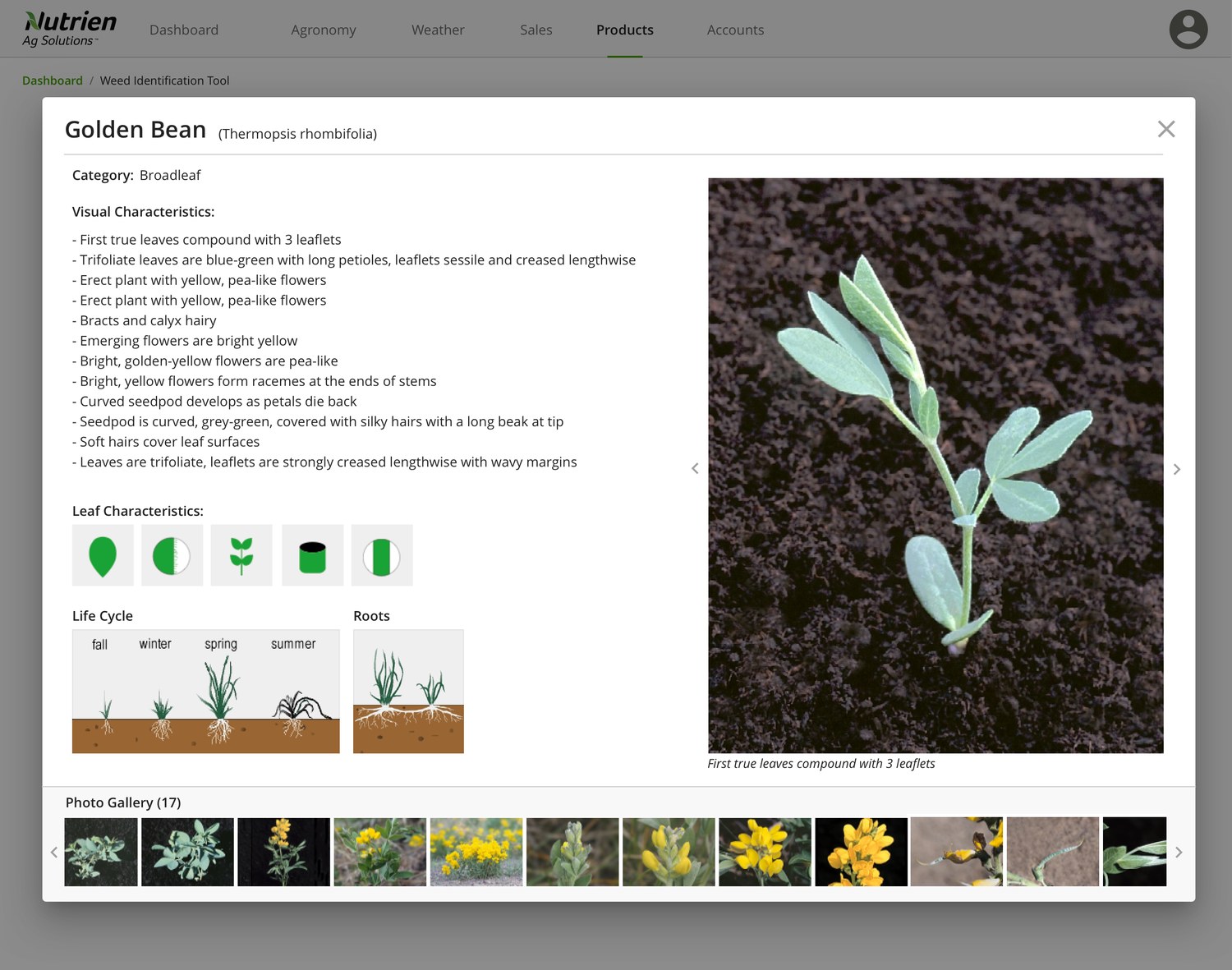
So I designed the tool around exactly that mental model. Instead of a search box, you describe what’s in front of you by picking from visual options — a row of leaf-shape silhouettes, growth-habit and root-type menus, a life-cycle diagram — and the list of possible matches narrows as you go. Each match carries the rich AgroManager description and a full gallery of lifecycle photos, so a consultant can confirm the call with their own eyes.
4. Why we didn’t just point a camera at it
The obvious modern instinct is “just take a photo and let AI identify it.” So we tested that — we ran weeds through the existing photo-recognition apps on the market. The results were FAIL, FAIL, FAIL.
Weed recognition is genuinely hard for image recognition. The distinguishing features are often tiny and nearly invisible in a photo, and entire categories — grasses especially — look nearly identical to a camera even when an expert can tell them apart instantly. A model that confidently spits out the wrong species isn’t just useless; it’s dangerous, because the wrong ID leads to the wrong recommendation.
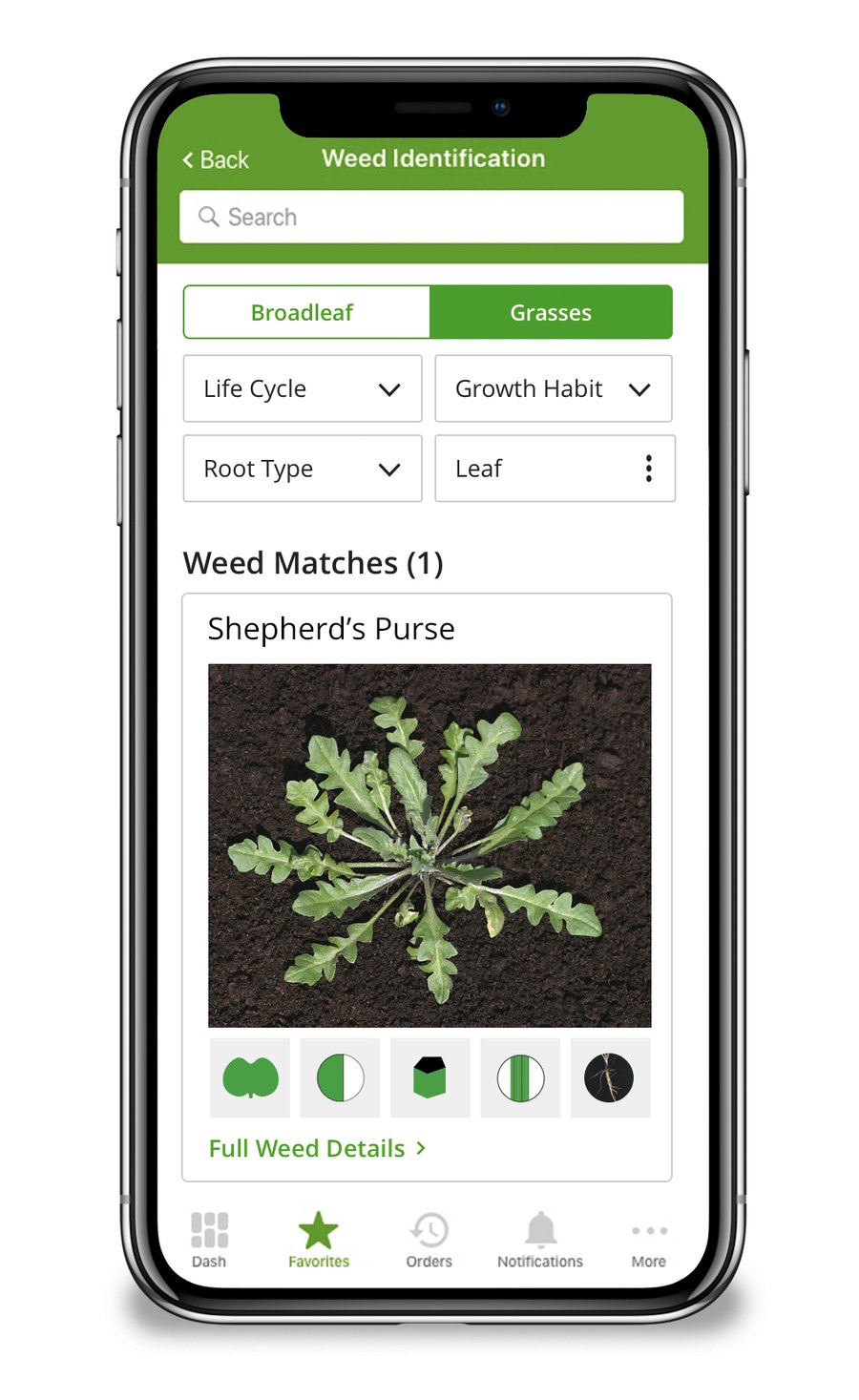
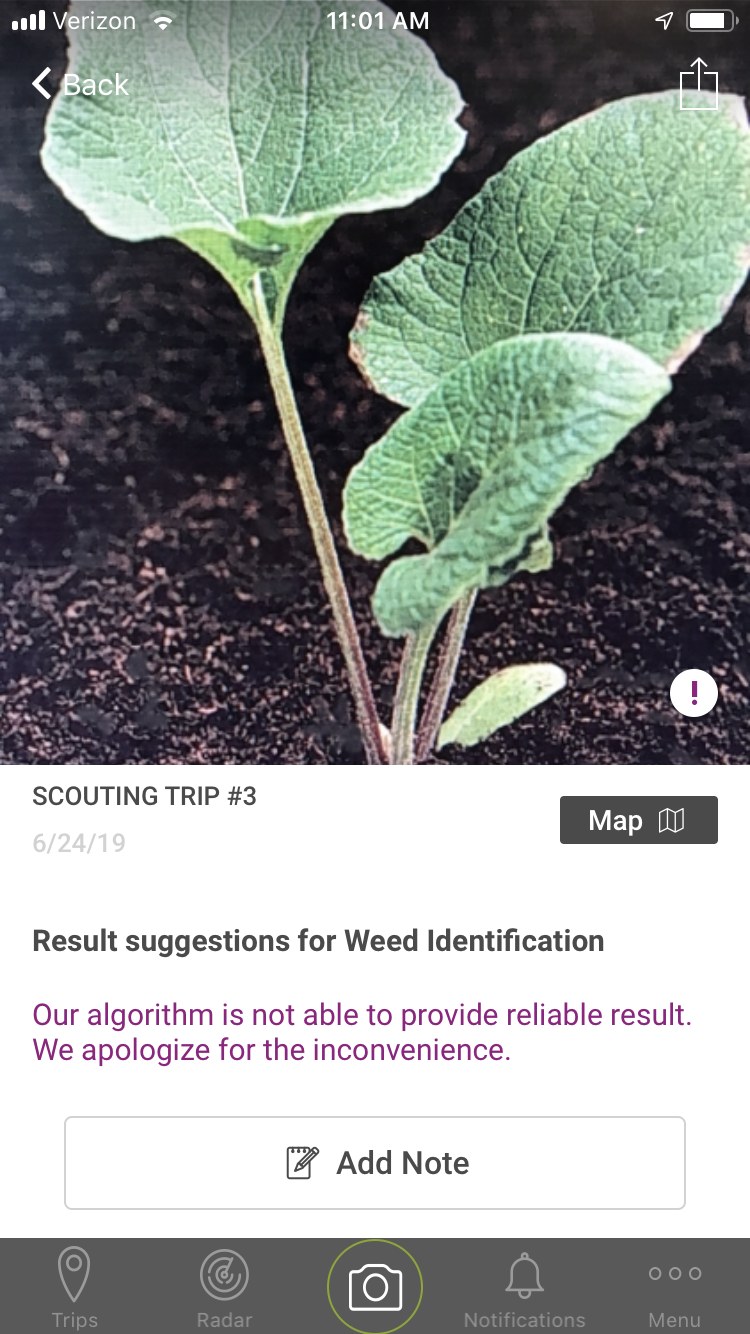
That’s what pointed us to a human-in-the-loop design. The expert’s observations do the heavy lifting; the data and the model assist and accelerate. And crucially, we designed the mobile app to admit its limits. When the algorithm couldn’t be confident, it said so plainly — “Our algorithm is not able to provide reliable result” — rather than guessing. Telling a skeptical expert the truth earns far more trust than false confidence.
5. The bigger idea
The roadmap wrote itself: the same metadata that makes the tool useful — known weeds, known identifying characteristics, labeled photos across the full lifecycle — is exactly the labeled training set you’d want to eventually teach a model to do more of the work. Human experts and AI weren’t competitors here; the expert input was what would make the AI good. And the same approach could be repeated for insects and diseases, the other references consultants carry.
We didn’t win the hackathon, but Weed Eaters made the final cut — and it crystallized a principle I’d carry into the rest of my Nutrien work and beyond: design for the expert and the data together, build the AI to be humble about what it doesn’t know, and you earn the trust that makes the tool worth opening. It’s the same conviction at the heart of the Max recommendation engine — that users don’t trust a model, they trust the interface wrapped around it — applied here years before the LLM era made it everyone’s problem.